Case Study: In-Page & Popunder Campaign for VPN Offer on iOS in EVADAV
In this case study, we reveal how a campaign for VPN and utility apps was built step by step using both In-Page and Popunder formats in EVADAV Ad Network.
The goal was not just to test one offer and get the first leads. We needed to figure out the successful purchasing mechanism and refine it gradually through proper optimization. We learned which offers worked more effectively with our potential clients, which prelanders performed more effectively, and which creatives generated sales. Only then did it become possible to proceed and scale our campaign without excessive budget increases.
In this vertical, stable results rarely come right away. A working setup is built step by step: first, you test hypotheses, then remove weak elements, strengthen what works, and only after that move to scaling.
The test was not limited to the In-Page format. We simultaneously tested Popunder to compare traffic behavior and see which format performs better on iOS.
Setup Overview
-
Traffic source: EVADAV Ad Network
-
Format: In-Page
-
Vertical: Utility apps / VPN
-
GEO: US
-
Devices: Mobile
-
OS: iOS
-
Browsers: Safari, Chrome
-
Daily budget: $50
-
Average CPC: $0.0061
-
Buying approach: step-by-step testing with further optimization of offers, prelanders, creatives, and placements
Popunder Setup
-
Daily budget: $30
-
Average CPC: $0.0004
-
Frequency: 1 impression per day
-
Whitelist: selected sources without low-quality traffic
Choosing the Direction
We selected US GEO and the utility vertical (VPN, cleaners). This combination gives solid conditions for both testing and scaling.
-
First, the US provides enough traffic volume even at low bids. You don’t need to wait long to collect data and understand what works. Even at the early stage, it’s possible to get enough insights to make decisions.
-
Second, there are many offers available in the privacy and utility segments with clear economics. In this case, we tested several options.
These offers used payouts starting at $3+, allowing some space for experiments and optimization without having to bid high from the very beginning.
Utility apps also match well with the In-Page format on iOS. When creatives look like system alerts or built-in device notifications, users perceive them more natively compared to standard ads.
This is especially important for iOS traffic. The closer the ad is to the natural device experience, the higher the chance the user continues down the funnel.
Meanwhile, Popunder served as an alternative offer type. While for In-Page, the appearance of the advertisement is important, with Popunder, we were able to test how quickly the user reacts and how fast we receive our conversions due to its aggressive delivery style.
How Offers Were Selected
At the start, the goal was not to find the perfect offer right away. It was more important to test several similar offers within one logic and see which angle works better for iOS users.
We started with cleaner apps:
-
Cleanora - cleaner app [privacy] Default | US 3.5
-
Cleanora - cleaner app [privacy] Apple Care | US 3.5
-
SwiftClean - cleaner app [privacy] Default
-
SwiftClean - cleaner app [privacy] Face ID
Later, VPN offers were added, both with and without prelanders:
-
GenesisVPN - cpi ... With preland
-
SharkVPN PR iOS multigeo
-
CoreDefence VPN US CPI $3 PR Phone Security
-
CoreDefence VPN US CPI $3 PR Black Alert
This approach helped us understand what works better: device cleaning, privacy, connection protection, or security alerts. We worked with several types of offers and sub-verticals that were filtered based on real performance.
For Popunder, we used the same pool of offers. This allowed comparisons of formats without adding extra variables.
At the start, Popunder used the same setups with prelanders:
-
Cleanora
-
SwiftClean
-
GenesisVPN
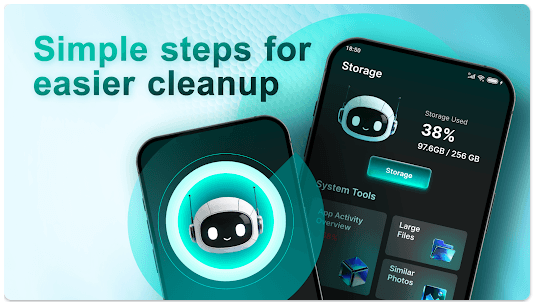
Cleanora – a mobile app designed to clean your device by removing unnecessary or duplicate files, optimizing performance, and enhancing security.
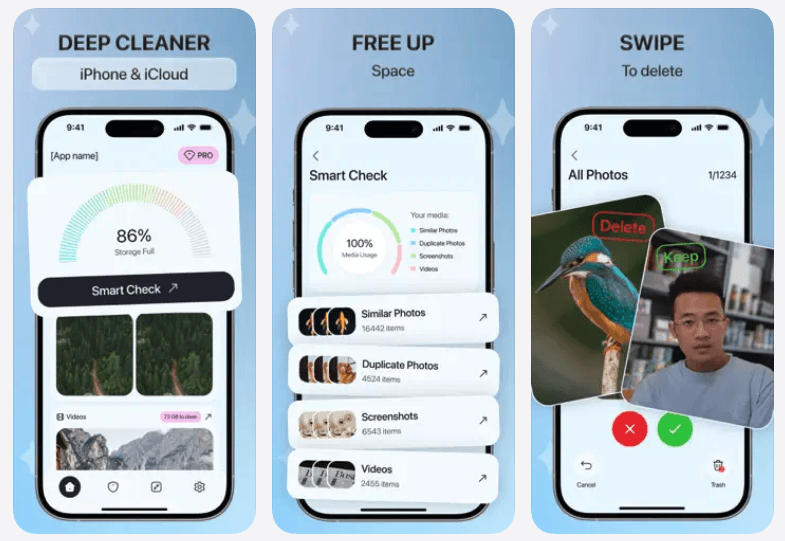
SwiftClean – a utility app for file management, allowing users to find and delete large or duplicate files to optimize storage on their devices.
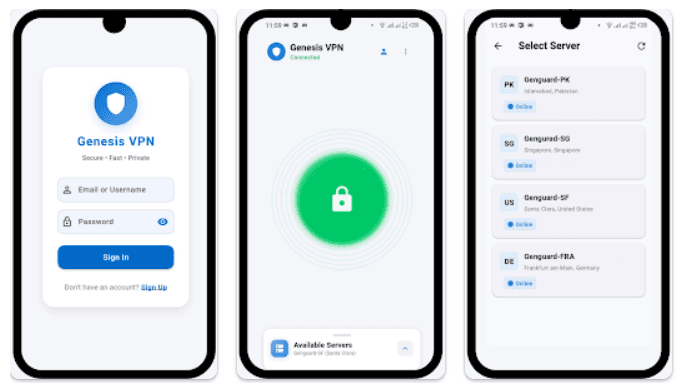
GenesisVPN – a VPN service that provides secure, private, and anonymous internet access with encryption, IP masking, and bypassing geo-restrictions.
Prelanders
Firstly, we tested two main prelanders. The idea was simple: don’t guess the winner in advance. Give users two different entry points and see which one performs better. On iOS, even small changes in presentation can affect engagement.
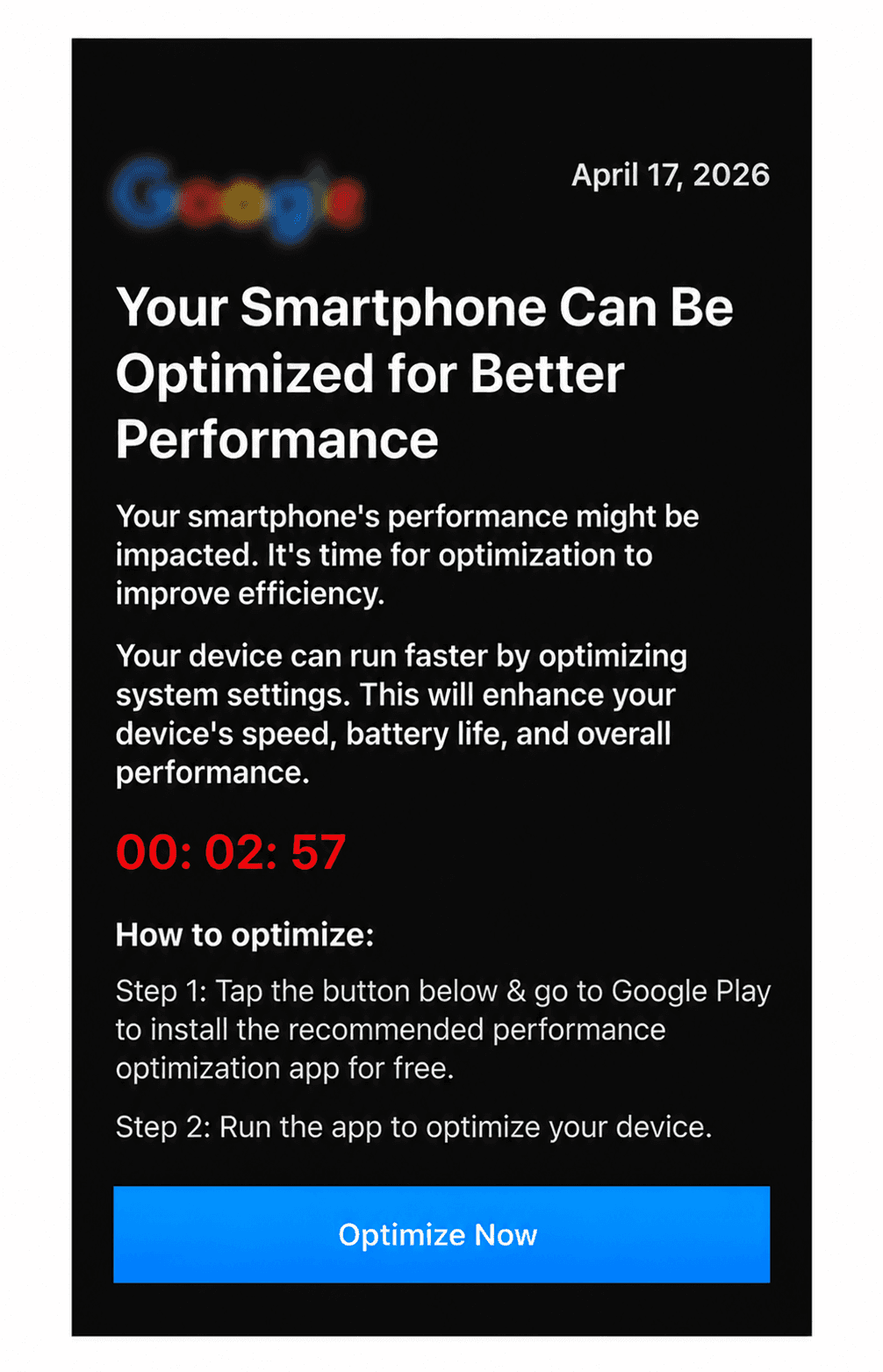
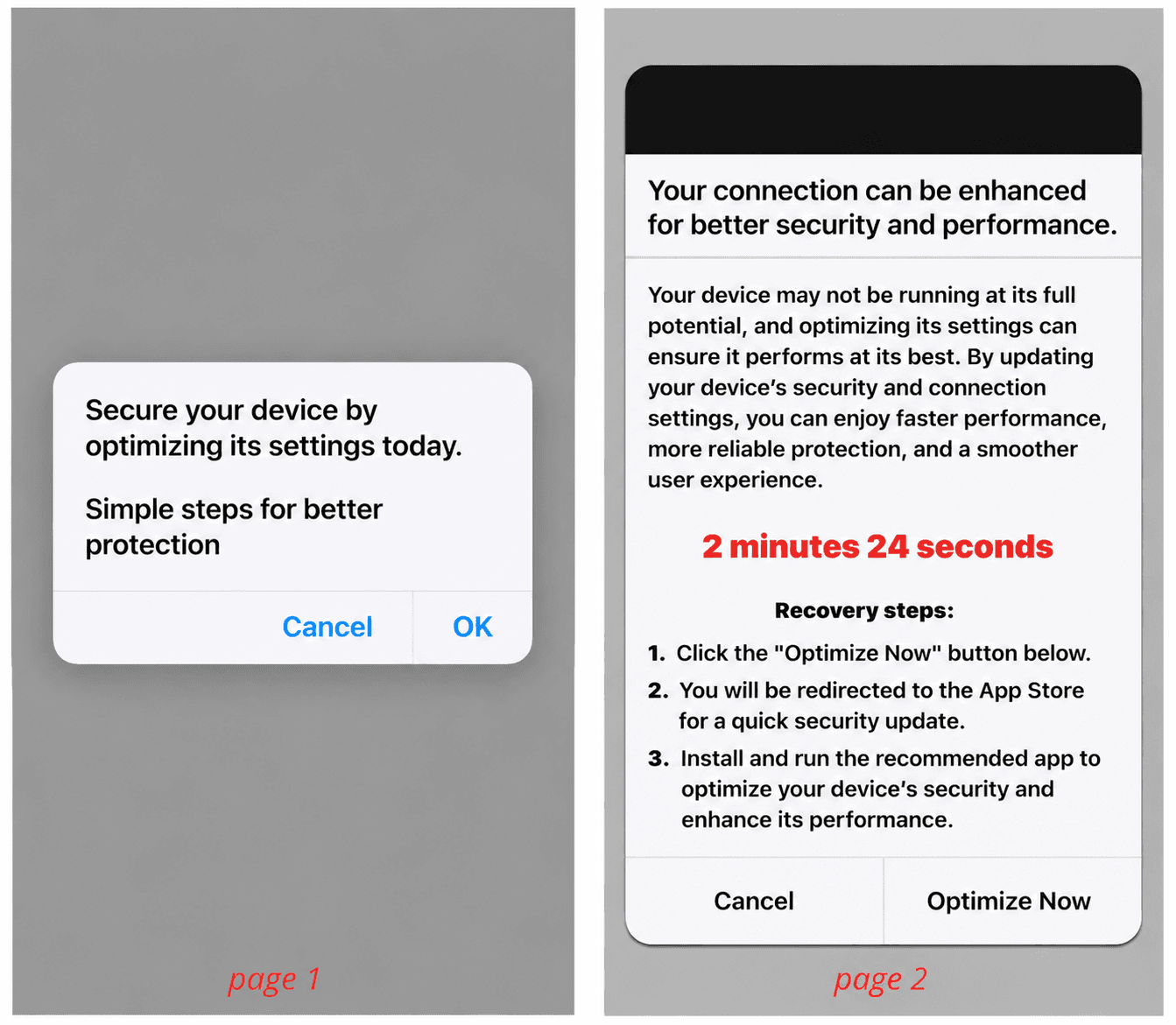
During the test, it became clear that the first creative performed better – the first conversions came from this prelander.
Most likely, the reason is that it feels familiar. It looks like a natural step when searching for a solution, not like a direct ad. This reduces resistance and helps move users further down the funnel.
After the first confirmed leads, the second prelander was disabled to avoid splitting the budget.
For Popunder, the same black prelander was used at the start to keep the funnel consistent. Later, some offers were tested without a prelander to check how a shorter funnel performs.
Creatives
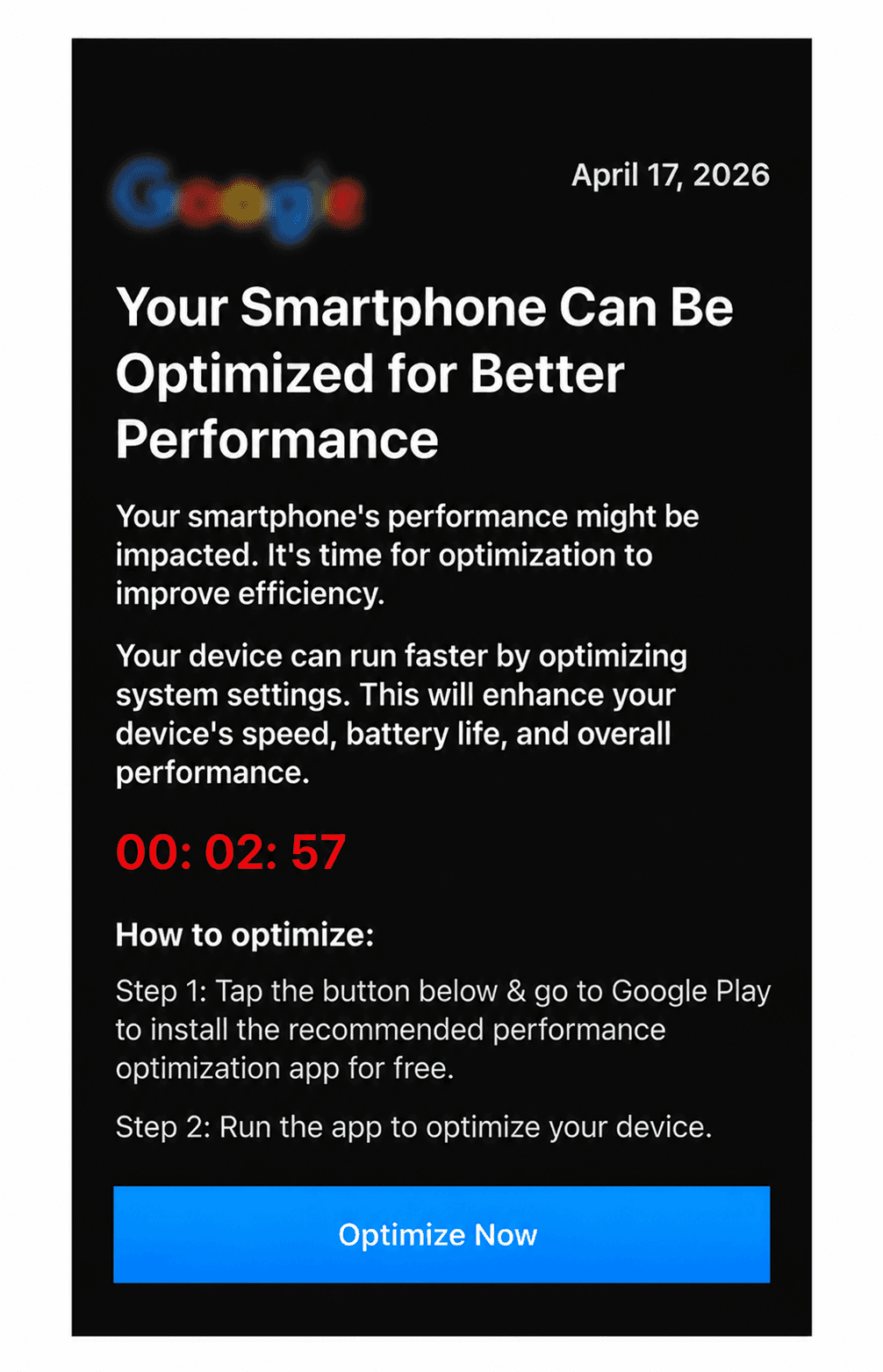
At the start, two types of creatives were tested:
-
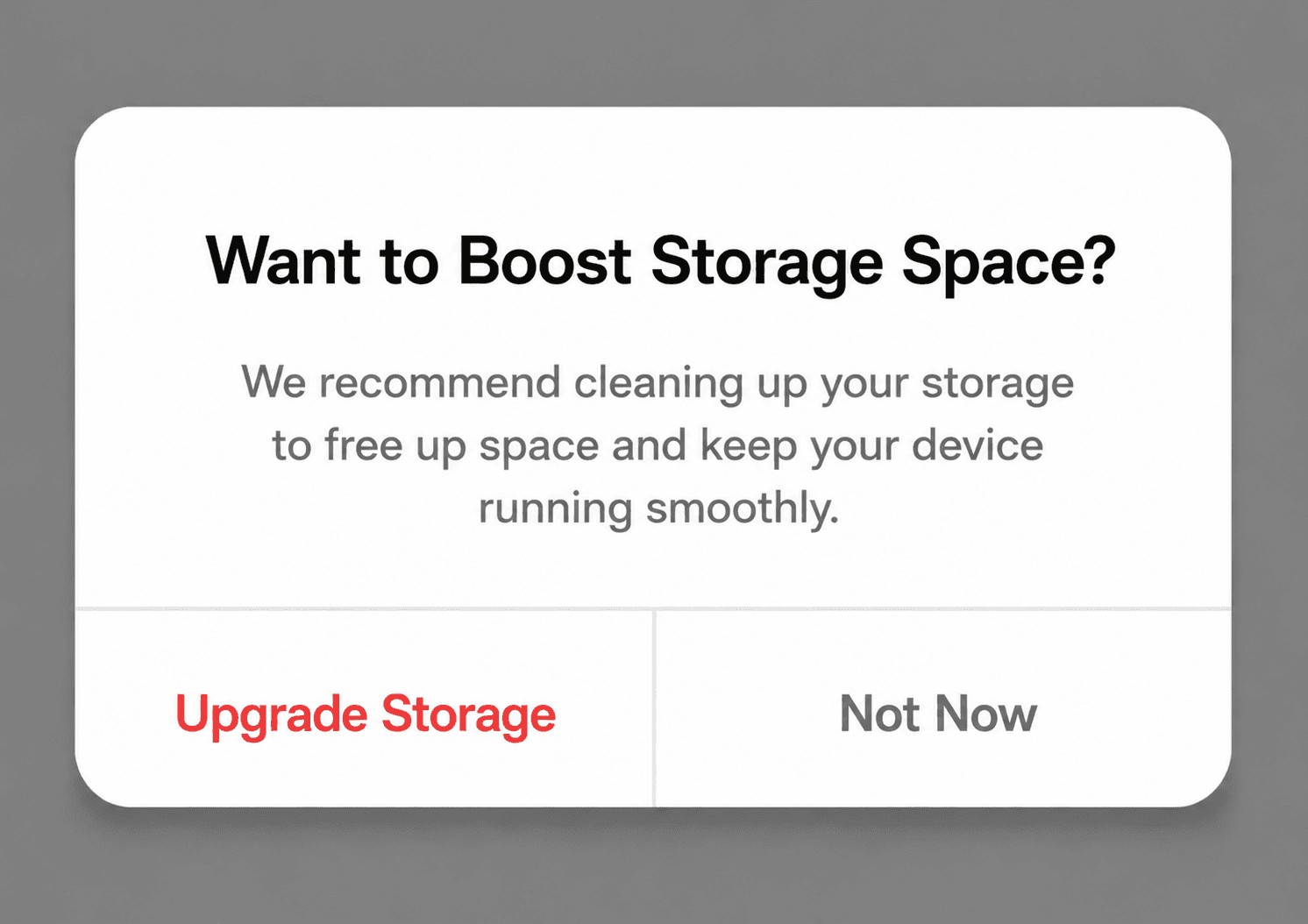
Classic (Recommendations on how to improve device performance)
-
System (Warnings about users’ devices)
Examples:
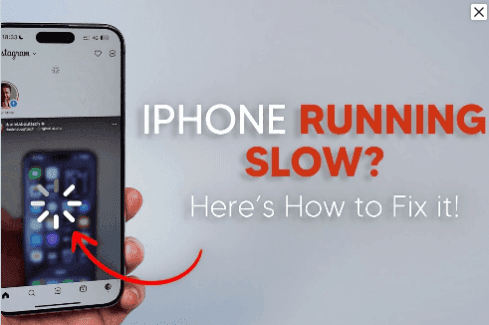
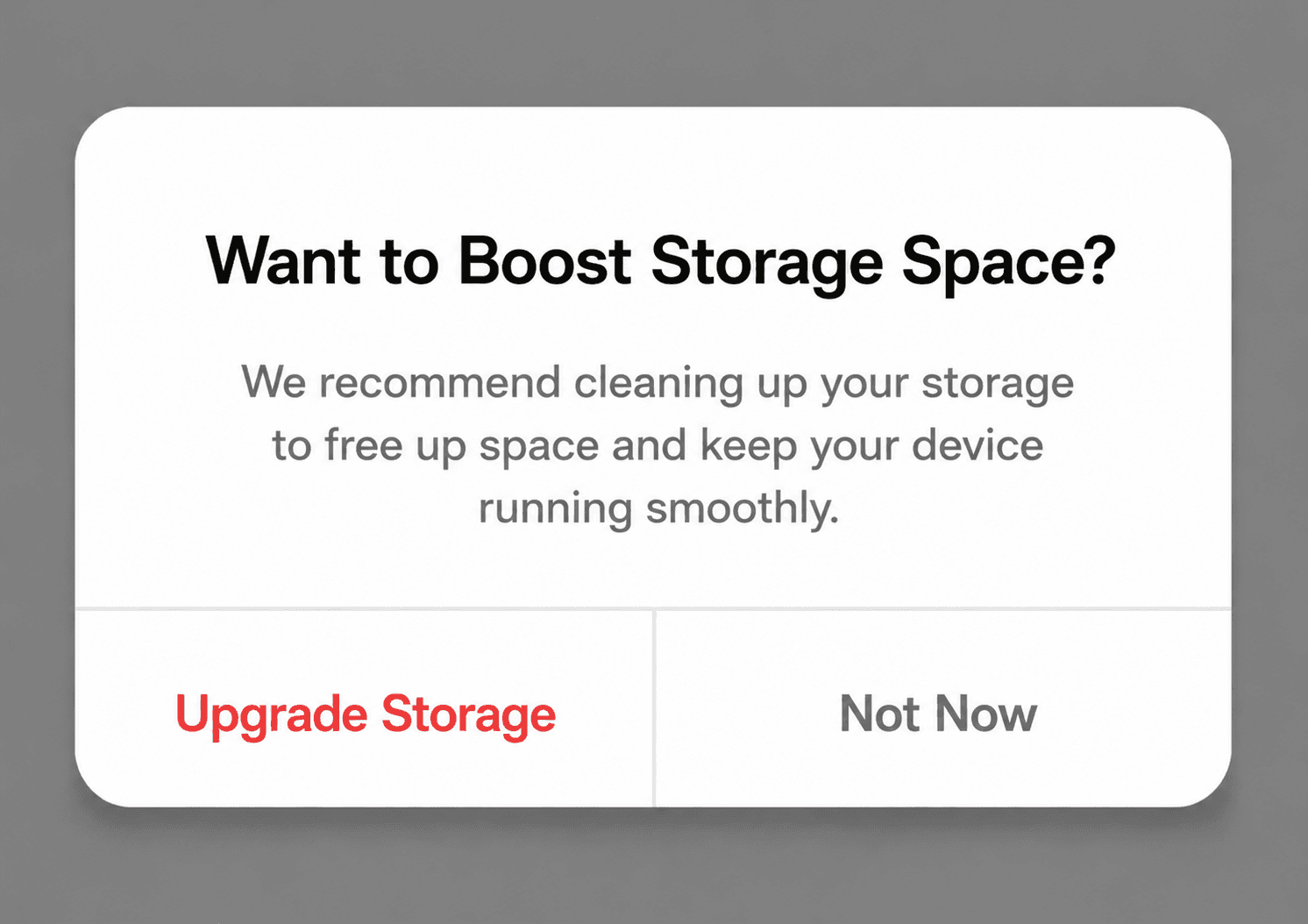
It soon turned out that creatives in the style of the system approach work better with utility offers.
This is understandable. If the visuals resemble part of the device interface, and the message looks like a system notice or alert, it will be considered more reliable by the user.
Messages related to security, privacy, and device status perform especially well. They feel relevant and natural.
The same happens to be true for the iOS platform, where traditional advertisements are being ignored, whereas system-like notices seem to be integrated into the interface and work effectively.
As for Popunder, creatives do not matter much, since the user is landing directly on the page.
Step-by-Step Launch and Optimization
Step 1. Campaign Launch
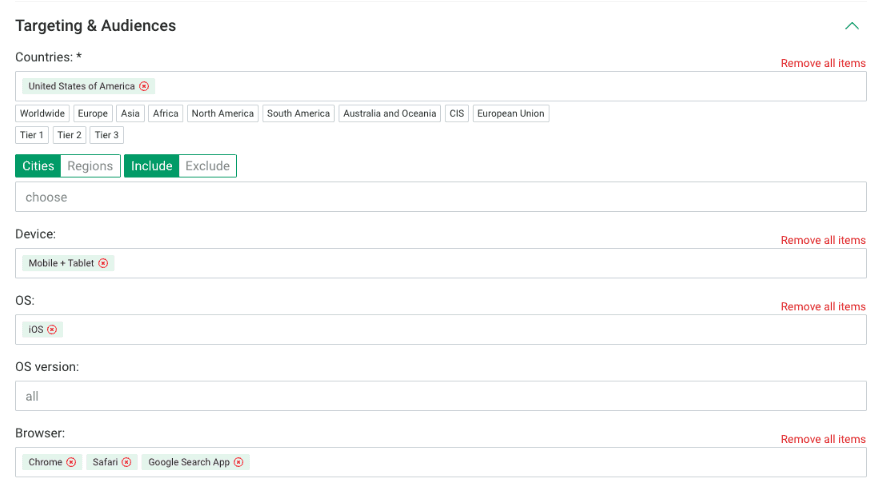
Launch date: 04.02
At the start, the campaign was set up carefully:
-
Daily budget: $50
-
CPС: $0.0054
-
Device: Mobile
-
OS: iOS
-
Browsers: Safari, Chrome
A blacklist rule was also set from the beginning, based on offers with payouts from $3+.
This helped limit inefficient sources early and avoid wasting budget.
The goal at this stage was not volume but data:
-
understand how users react to creatives
-
identify which prelander brings first leads
-
evaluate traffic quality by browser
-
check if the model works at all
That’s why low bids and a limited budget made sense. It’s a safe way to test without risking too much before getting real signals.
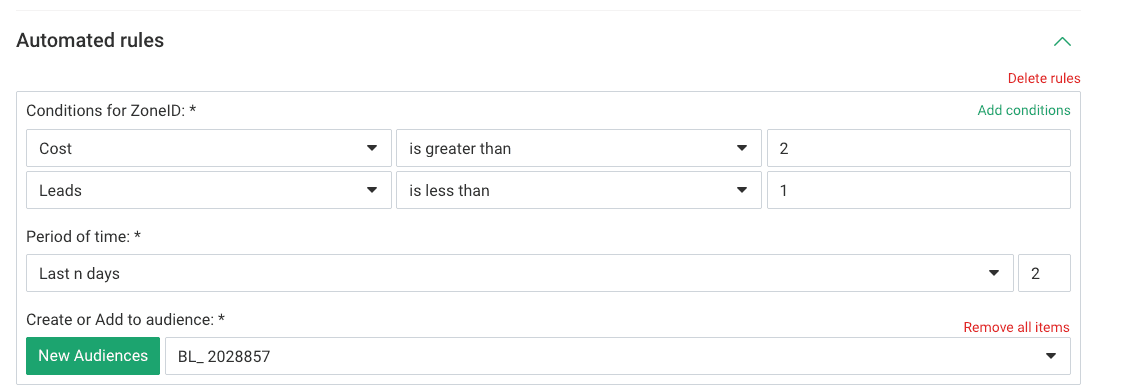
Popunder Settings at Launch
-
CPC: $0.00039
-
Daily budget: $30
-
Devices: Mobile + Tablet
-
OS: iOS
-
Browsers: Safari, Chrome
-
Frequency capping: 1 per day
-
Whitelist: selected pop sources
Step 2. First Data and First Conclusions
Analysis period: 04.02-09.02
By February 9, the campaign had brought the first 11 conversions. All of them came from Cleanora offers and through the black prelander.
At the same time, ROI reached 250%, and on some days even 400%+, despite low traffic volume. This was the first clear signal that the model was working.
The first practical conclusion was simple: the black prelander performs better, so it was kept as the main one.
After that, the first changes were made:
-
only the black prelander was left
-
creatives and offers continued to be tested
Raising the bid at this stage made sense. There was already a working signal, and it was worth trying to scale it.
At the same time, changes were made carefully. Early data is not enough to make decisions on all elements at once. First, the result on the prelander was fixed, and only then we analyzed the rest of the setup.
For Popunder, results came slower. ROI ranged from 3% to 190%.
After 5 days of testing, 6 leads.
This is important. Even with a more aggressive format, Popunder did not scale instantly. It showed that without proper optimization, results don’t appear on their own.
Instead of stopping, the decision was to deepen the optimization.
Step 3. Cutting Off Weak Elements
Optimization date: 16.02
By mid-February, the campaign reached 23 conversions.
This was enough data to make more confident decisions.
What was done:
-
kept 2 best-performing offers
-
added 1 new offer for testing
-
disabled a non-performing creative
At this point, the campaign moved from basic testing to a more controlled model.
Weak offers were removed to avoid spreading the budget too thin. At the same time, testing was not narrowed too much – a new offer was added to keep growth potential.
The creative related to phone storage alerts was removed due to low performance. This showed an important point: even if a creative has decent CTR, it doesn’t mean it brings quality traffic.
If it doesn’t lead to conversions, it only spends the budget.
That’s why it’s important to look beyond clicks and evaluate the real impact on conversions.
For Popunder, key changes started earlier – on 09.02:
-
microbidding was introduced
-
bids were increased for converting widgets
-
source testing continued
This was the first turning point. Instead of spreading the budget evenly, the focus shifted to specific zones.
Results
As a result:
Average ROI (In-Page): 87%
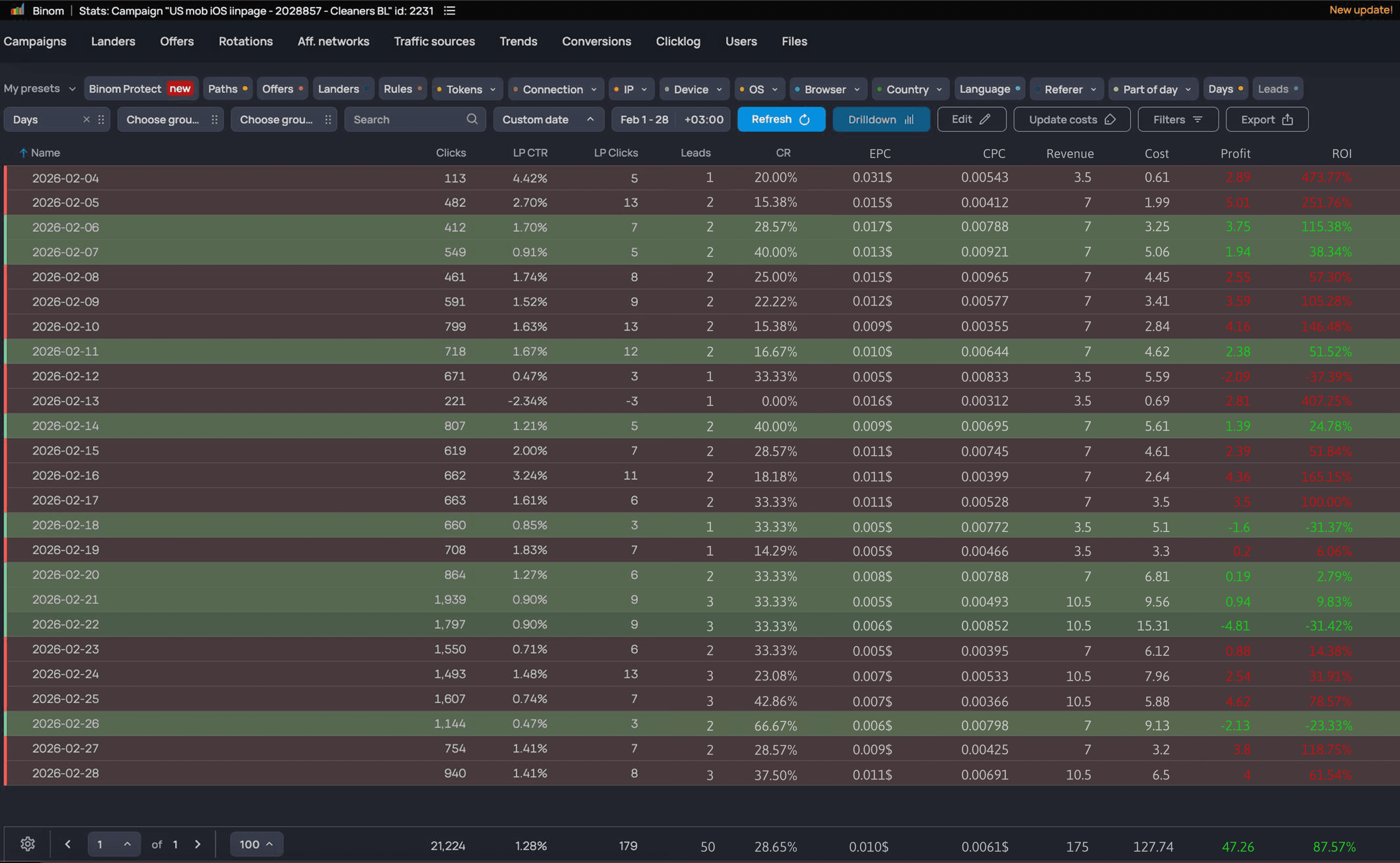
Average ROI (Popunder): 82%. Note that for popunders, CPM is the same thing as CPC. While EVADAV popunder campaigns can be CPM-based only, the Binom tracker will display them as CPC.
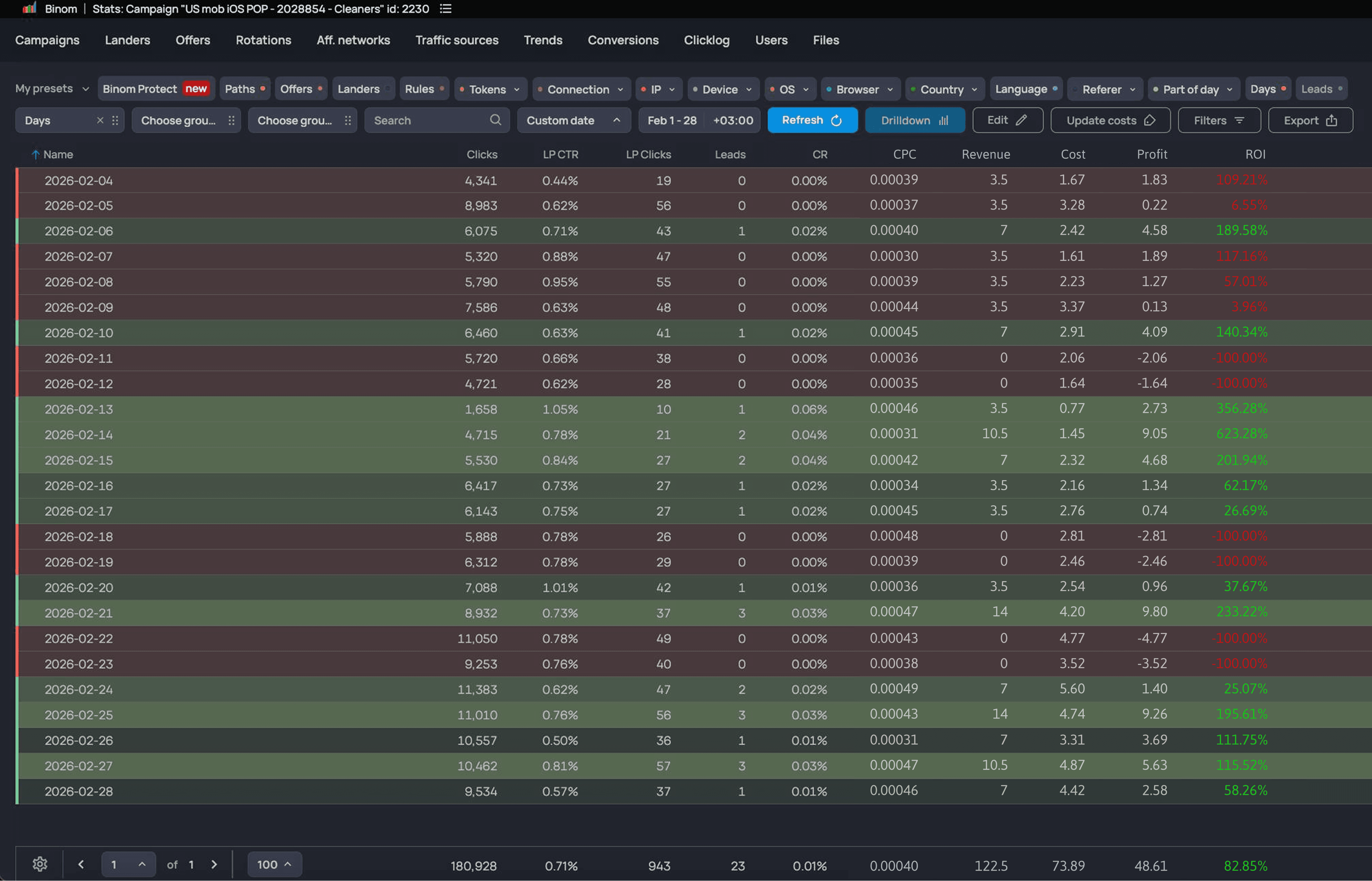
During the test, the campaign went through the full cycle — from a careful launch with low bids to deep optimization across offers, creatives, widgets, and browsers.
The main takeaway:
Both In-Page and Popunder formats work well for utility apps on iOS if you build the campaign step by step:
-
find a working prelander
-
keep strong offers
-
remove weak creatives
-
increase bids gradually
-
move to microbidding
-
optimize browsers and sources
This sequence enabled steady performance improvements without chaotic changes.
Popunder showed results through gradual optimization. It was not the main driver, but it added extra volume and helped identify working setups faster.
Further Optimization
Date: 02.03
By early March, the campaign reached 50 conversions.
At this stage, there was already a solid base for scaling.
We did the following:
-
reduced offers from 3 to 2 best ones
-
added a new offer for testing
-
increased bids
-
turned off remaining weak creatives
-
launched microbidding on converting widgets
This was a key shift – from testing to controlled scaling.
By now, it was clear which offers work and which don’t. Weak ones were removed, strong ones remained, and new ones were still tested.
Bids were increased because the setup had already proven. When a model shows consistency, higher bids help get more volume.
We also confirmed that Popunder requires stricter filtering. Without
cutting weak zones aggressively, it quickly drains the budget.
Microbidding played a major role here. Instead of managing only the global CPM, bids were adjusted at the widget level.
This allowed:
-
increasing bids on converting sources
-
reducing spend on weak zones
-
shifting budget toward better traffic
Iterative Optimization
After that, the campaign continued to improve step by step.
10.03
-
offers: 3 → 2
-
bid: 0.008 → 0.009
The bid was increased to get more volume from a working setup.
16.03
-
offers: 2 → 1
-
1 new offer for testing
One stable offer stayed as the base, while a new one was tested for growth.
23.03
-
again 2 → 1
-
1 new offer
This approach kept a balance between stability and testing.
31.03
-
offers: 2 → 1
-
creatives: 2 → 1
-
additional microbidding (higher for converting widgets, lower for weak ones)
-
separate browser optimization
At this point, optimization was happening on multiple levels:
-
offer
-
prelander
-
creative
-
widget
-
browser
Browser optimization became especially important. Even within iOS, traffic quality differs between Safari and Chrome.
Shifting budget toward better-performing browsers helps reduce hidden losses and improve overall performance.
Popunder was optimized in the same way:
-
strengthening whitelists
-
cutting weak sources
-
working with the manager on traffic filtering
The format was not scaled aggressively. Instead, it was cleaned step by step.
What Worked Best
Several factors drove the best results:
1. Black prelander
It brought the first confirmed conversions and served as the basis for the campaign.
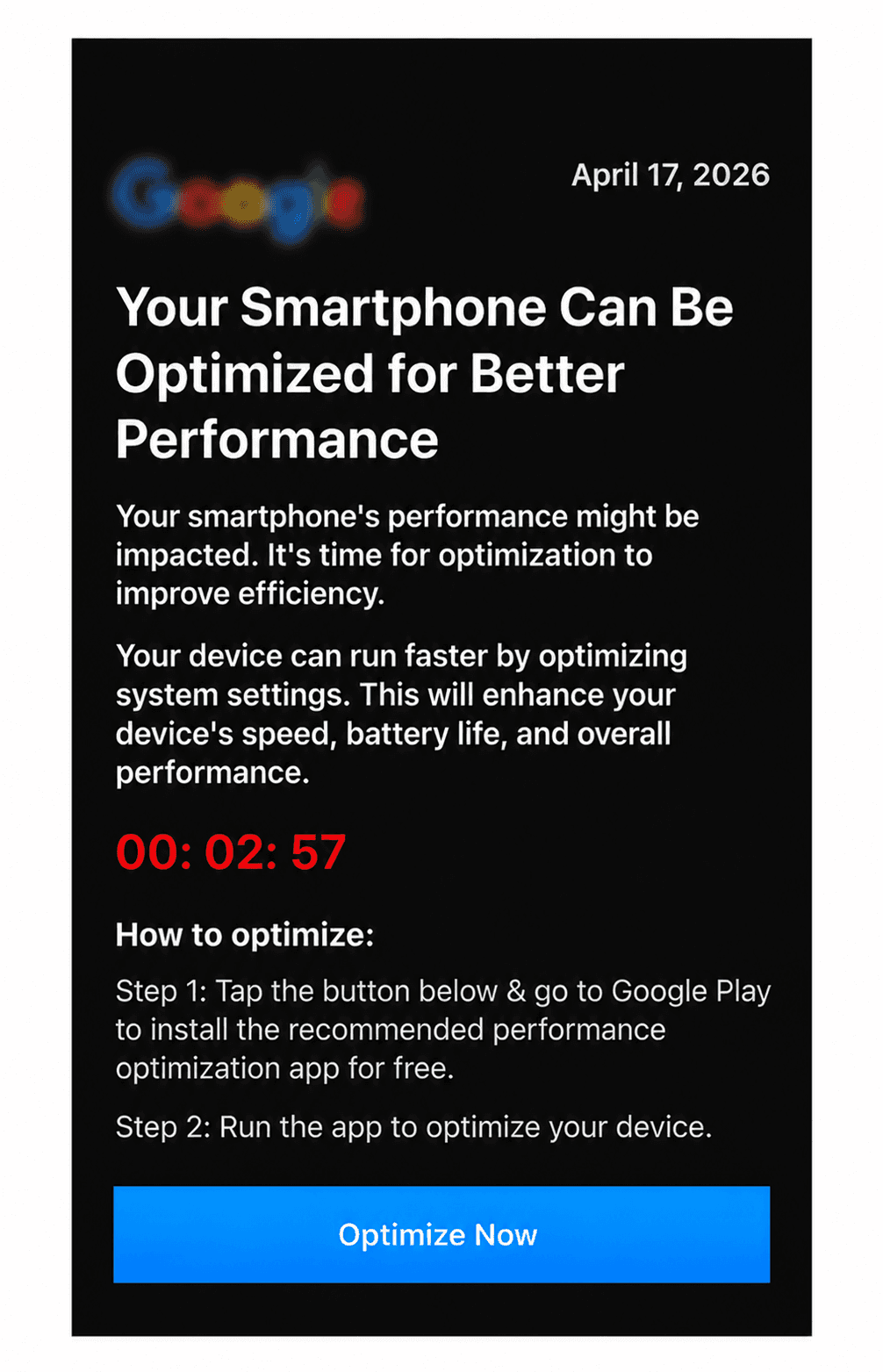
2. System-style creatives
Creatives similar to system alerts and security warnings performed best.
3. Continuous offer rotation
Weak offers were removed quickly, strong ones were scaled, and new ones were always tested.
4. Microbidding by widgets
Without local bid control, the campaign would not reach this level of performance.
5. Browser optimization
It helped eliminate hidden losses at the final stage.
By Format
In-Page
-
works best with system-style creatives
-
gives a softer user entry
-
easier to scale after optimization
Popunder
-
provides faster initial signals
-
requires strict source filtering
-
heavily depends on whitelist quality
Key Point
Manager support was key in ensuring the success of this campaign. Assistance in white and black listing ensured that good source selection was done with no waste of funds.
In the beginning stages, where data is limited, such support helps establish the model quickly.
Conclusion
This case shows that success with VPN campaigns is not about one lucky setup. It’s the result of consistent, step-by-step optimization.
What made the difference:
-
correctly chosen GEO
-
relevant iOS audience
-
system-style creatives
-
strong prelander
-
regular removal of weak offers
-
bid increase only after validation
-
microbidding
-
browser and source optimization
This approach turns a test campaign into a stable model that can be scaled further.
Want to achieve similar results? Our partners have similar offers in the Utility and other verticals. Launch your campaigns with EVADAV Ad Network and consult your personal manager for recommendations on the best offers and campaign targeting.