EVADAV + Binom Tracker Integration Guide: Complete S2S Postback Setup
Launching ad campaigns without proper tracking is risky. You may be getting clicks and conversions, but without a tracker, it’s difficult to understand where your profit actually comes from. This is why many affiliate marketers connect their traffic sources to tracking platforms before scaling campaigns.
In this guide, we’ll show you how to set up a Binom tracker EVADAV integration using S2S postback. You’ll learn how to connect the tracker, configure postbacks, test conversions, and launch campaigns with accurate traffic data and conversion tracking.
Why Advertisers Use Trackers in Affiliate Marketing
Buying traffic without a tracker is basically working blind. Ad networks might show only part of the data, while affiliate networks focus mostly on conversions and payouts. A tracker connects everything into a single system and gives advertisers full control over campaign performance.
With a tracker, you can see exactly:
-
which campaigns bring profit
-
which placements waste budget
-
where conversions come from
-
which creatives perform better
-
what GEOs, devices, and browsers convert best
This becomes especially important when running multiple campaigns, testing funnels, or scaling traffic.
A tracker also helps advertisers optimize traffic much faster. Instead of manually checking stats across different platforms, all performance data is consolidated into a single dashboard. Some of the biggest advantages include:
-
Accurate conversion tracking
-
Real-time campaign analytics
-
Traffic source optimization
-
Split-testing landers and creatives
-
ROI and cost tracking
-
Bot and low-quality traffic detection
-
Automation through rules and redirects
Trackers simplify campaign analysis, especially for postback tracking beginners who are just starting to work with conversion data and tracking logic. For experienced media buyers, they become a mandatory tool for scaling profitable funnels.
Today, most affiliate marketers use trackers together with push, pop, native, and redirect traffic sources to avoid losing valuable conversion data and ad spend insights.
Why Binom Is One of the Most Popular Self-Hosted Trackers
Binom has built a strong reputation among media buyers not just because it tracks clicks, but because it gives full control over traffic, data, and optimization logic. It’s especially widely used in CIS countries and Asia, regions where affiliate marketing is fast, competitive, and heavily focused on scaling ROI-driven campaigns.
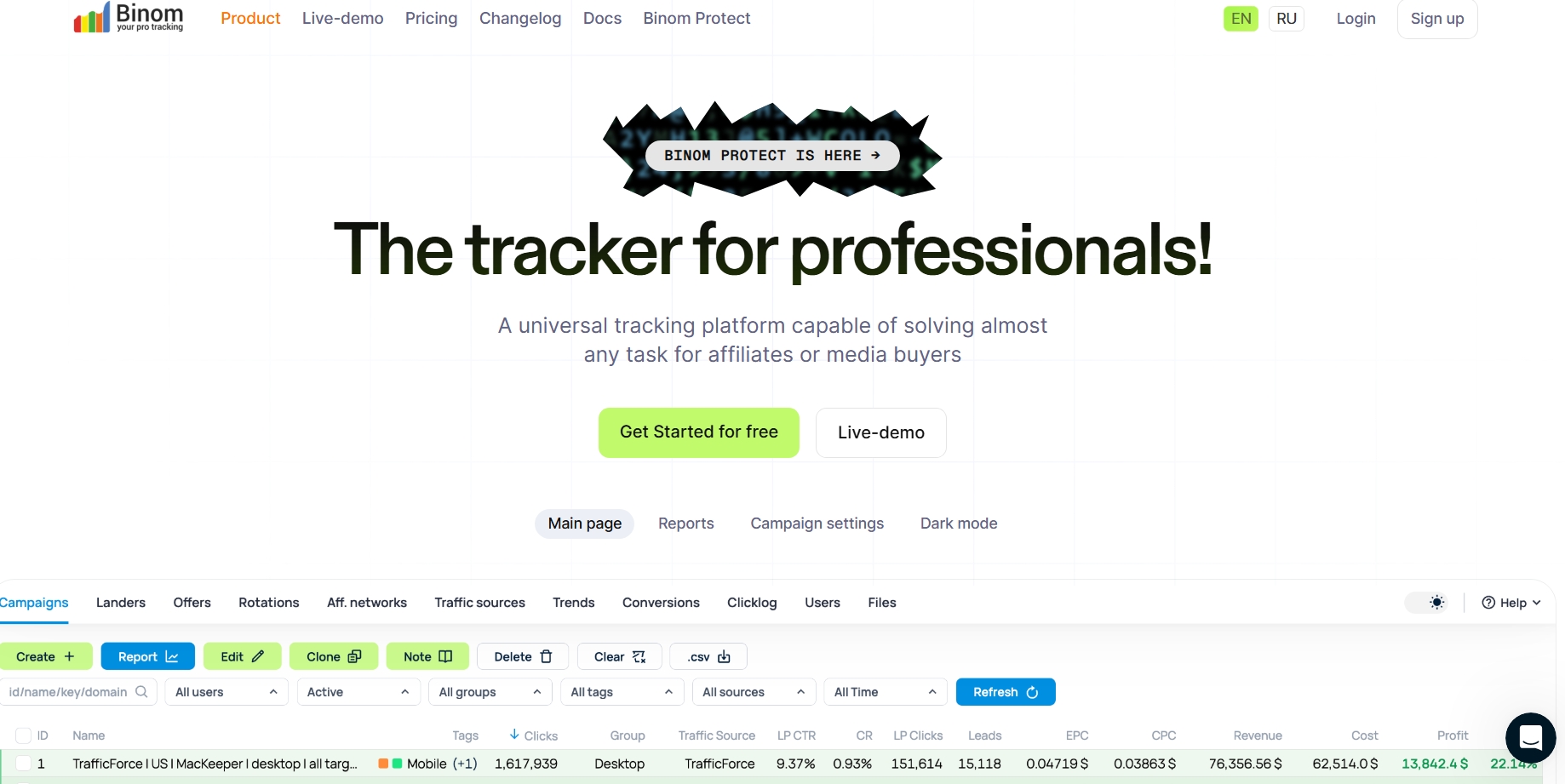
Binom is designed for teams that handle high traffic volumes and need instant, data-driven decisions.
Built for performance, not just reporting
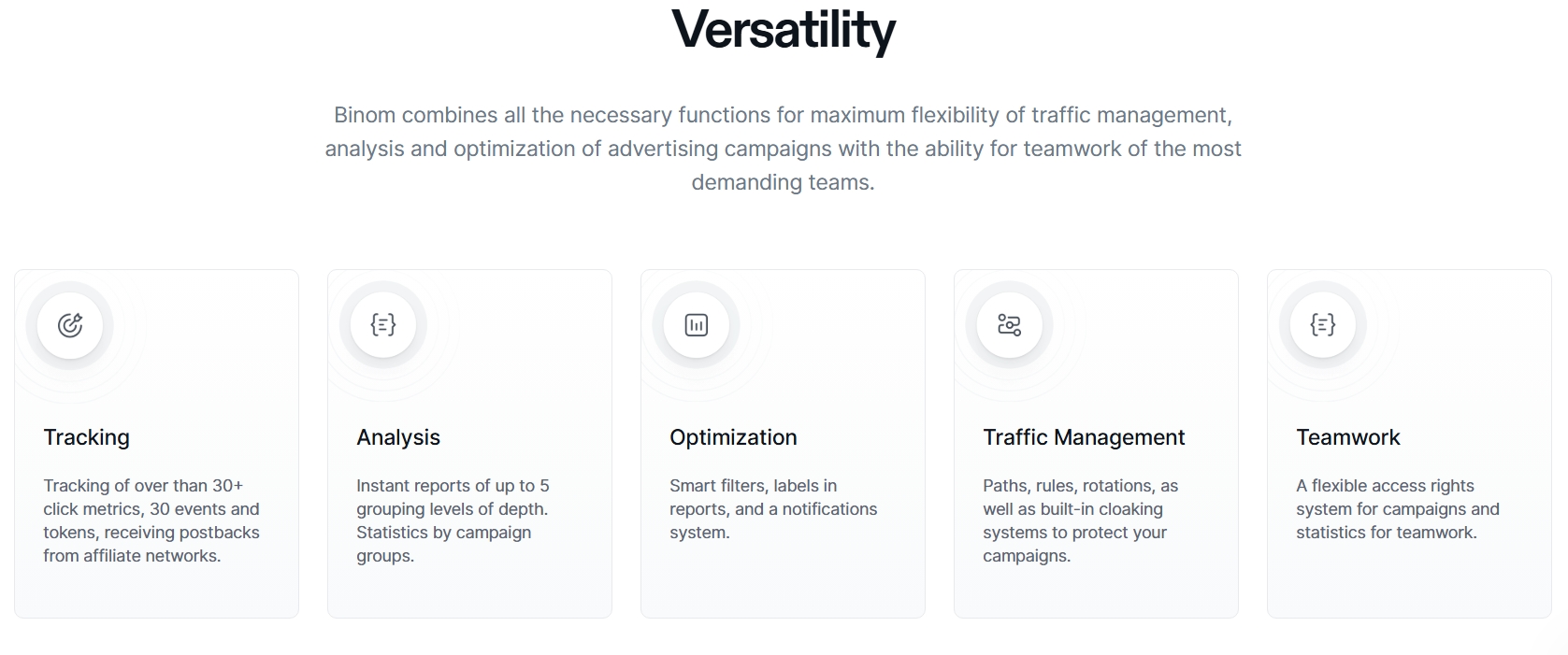
Most trackers simply show what happened. Binom is built to help you understand why it happened and what to do next. It combines tracking, analysis, and optimization into a single system, so media buyers don’t need multiple tools to manage campaigns. Instead of switching between dashboards, everything is centralized – clicks, conversions, costs, and ROI logic are connected in real time.
Speed and analytics
In affiliate marketing, speed directly affects profit. Binom is known for fast reporting and deep data breakdowns. You can analyze campaigns from multiple angles at once – not just basic stats, but structured performance layers. This is where ad tracking by Binom stands out:
-
instant reporting without delays
-
multi-level data grouping (deep campaign analysis)
-
cross-campaign comparison
-
fast filtering for decision-making
The result is simple: you don’t wait for data – you react to it immediately.
Traffic control that goes beyond tracking
What makes Binom more than just a tracker is its traffic management layer. Inside the system, you can build logic that actually influences how traffic behaves:
-
routing through different paths
-
rotation of offers and landers
-
rule-based filtering
-
bot and low-quality traffic detection
-
cloaking tools for campaign protection
This is especially important for push, pop, and native traffic, where quality can change depending on source, GEO, or placement.
Why self-hosting matters
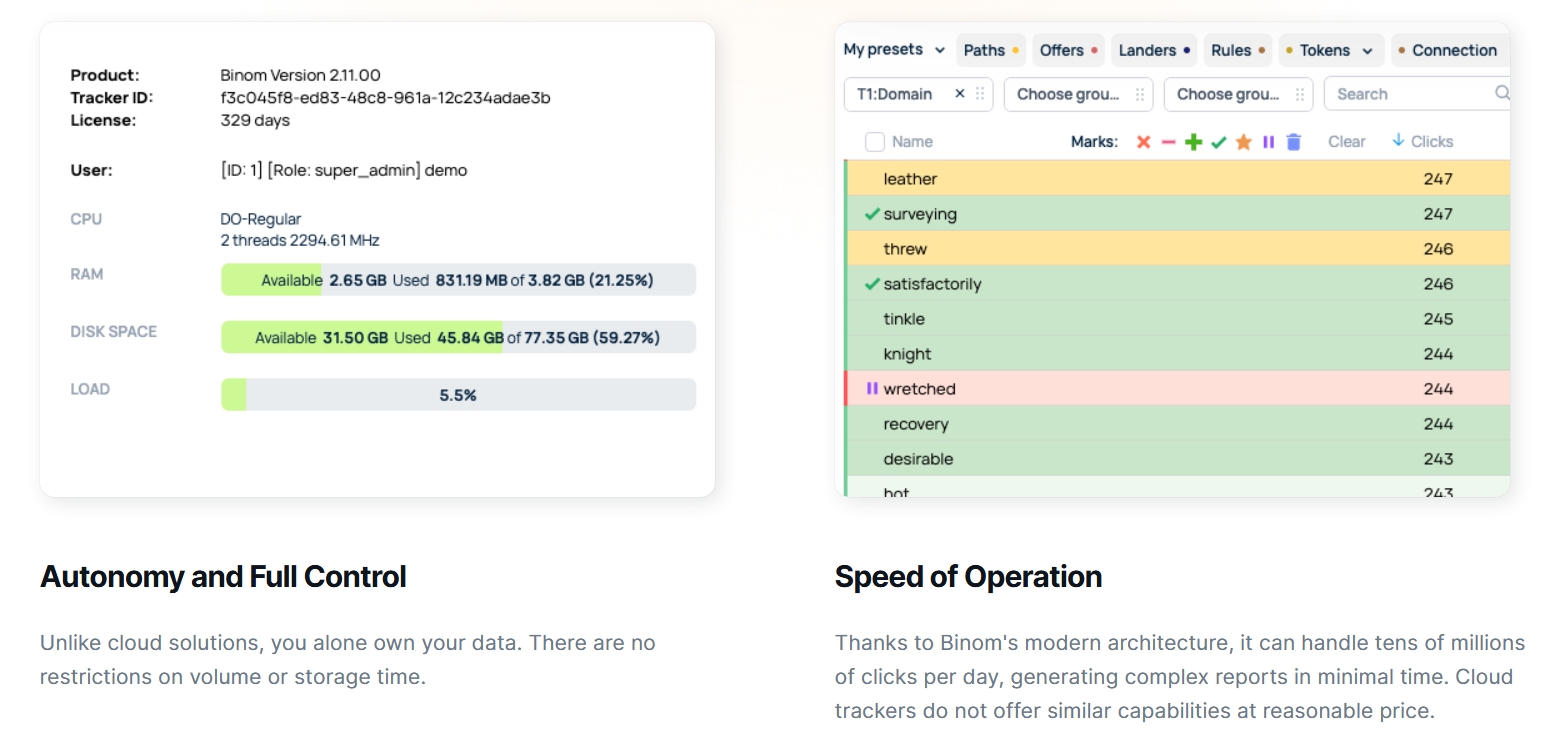
Unlike cloud trackers, Binom runs on your own server. This changes the model completely. Instead of renting access, you own the system. That means:
-
your campaign data stays private
-
no external limitations on traffic volume
-
no hidden scaling restrictions
-
full control over the performance environment
For experienced media buyers, this is a stability factor when scaling budgets.
In CIS and Asian affiliate markets, traffic is usually aggressive: fast testing, fast scaling, and fast cuts. There is little room for delays, so media buyers rely on tools that respond instantly and enable quick decision-making.
Binom fits this environment perfectly because it delivers fast reporting, flexible optimization options, stable performance even under high load, predictable pricing, and strong automation features. Instead of slowing down workflows, it helps teams move faster and stay in control while running multiple campaigns simultaneously.
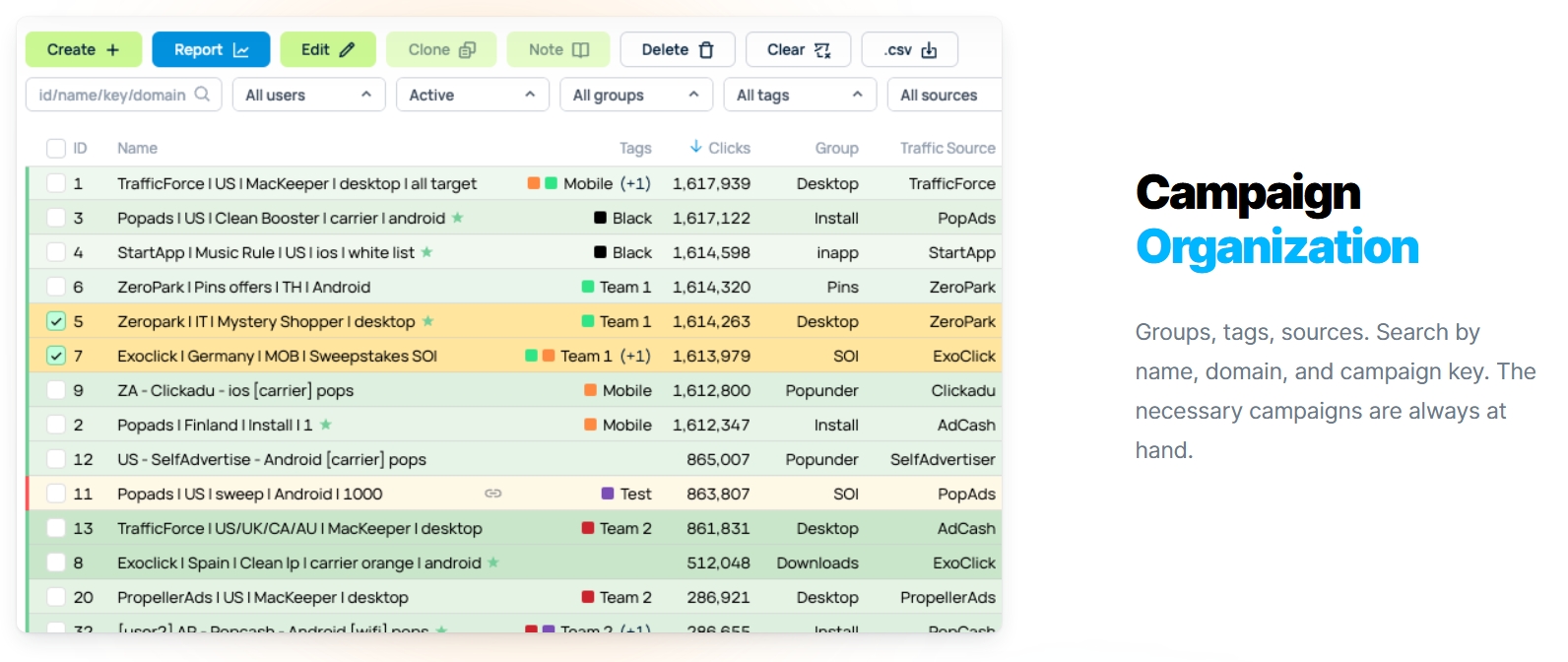
More control leads to better optimization, and better optimization leads to higher ROI. That is the main reason Binom has become one of the default tools in affiliate marketing workflows, especially among media buyers working with scale and performance-driven traffic.
How to Set Up EVADAV with Binom Tracker
This tracker setup guide explains how to configure seamless S2S postback tracking between EVADAV Ad Network and Binom in a few simple steps.
Step 1: Generate Postback in EVADAV
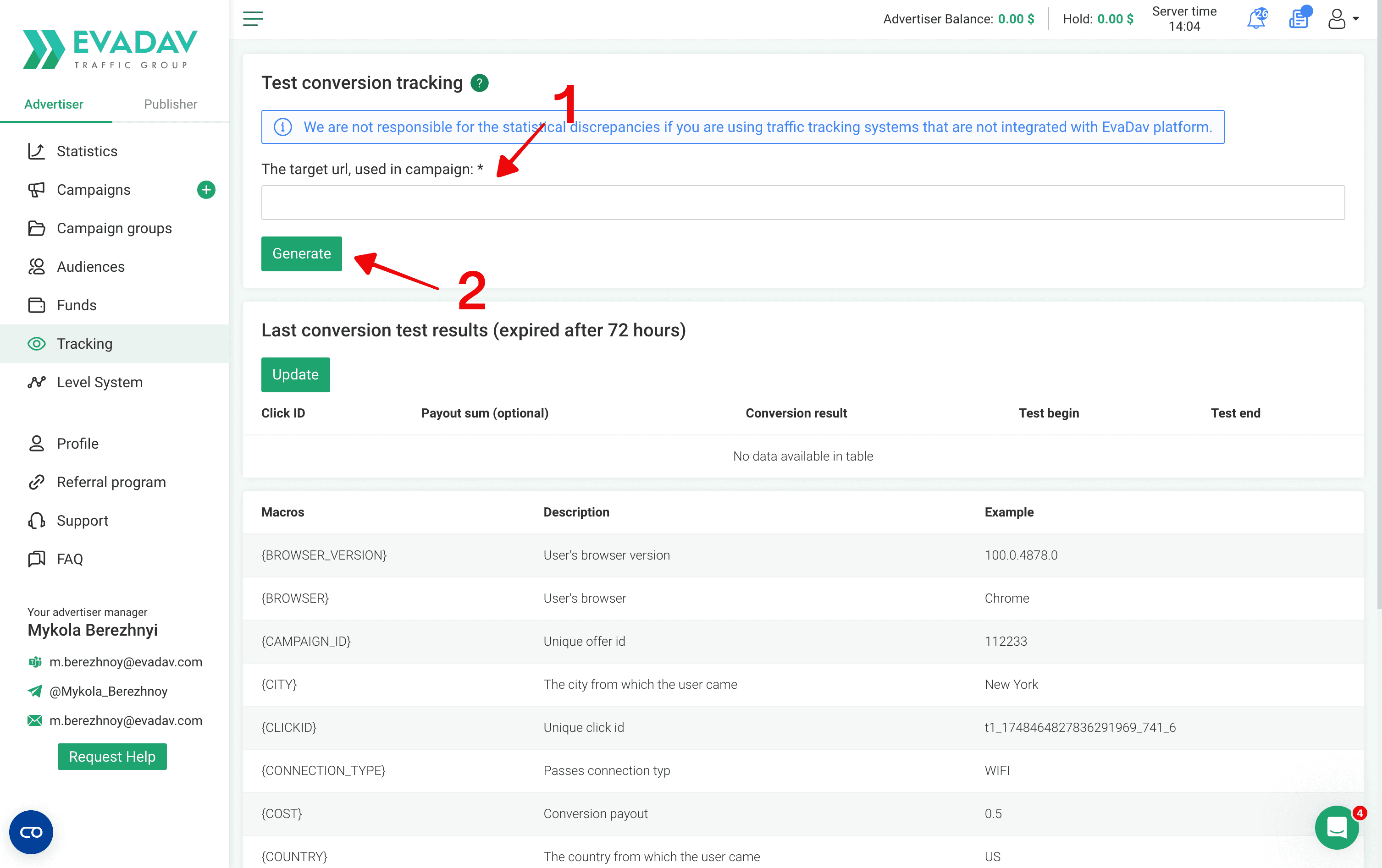
First, you need to get the postback link from your traffic source to track conversions.
-
Log in to your EVADAV advertiser account.
-
Open the Tracking section.
-
Copy the target campaign’s URL where traffic will go.
-
Generate Postback URL.
You’ll use this URL later during the Binom tracker setup.
Step 2: Configure EVADAV as a Traffic Source in Binom
Next, connect your traffic source to Binom so the tracker can receive clicks and conversions correctly.
Inside Binom:
-
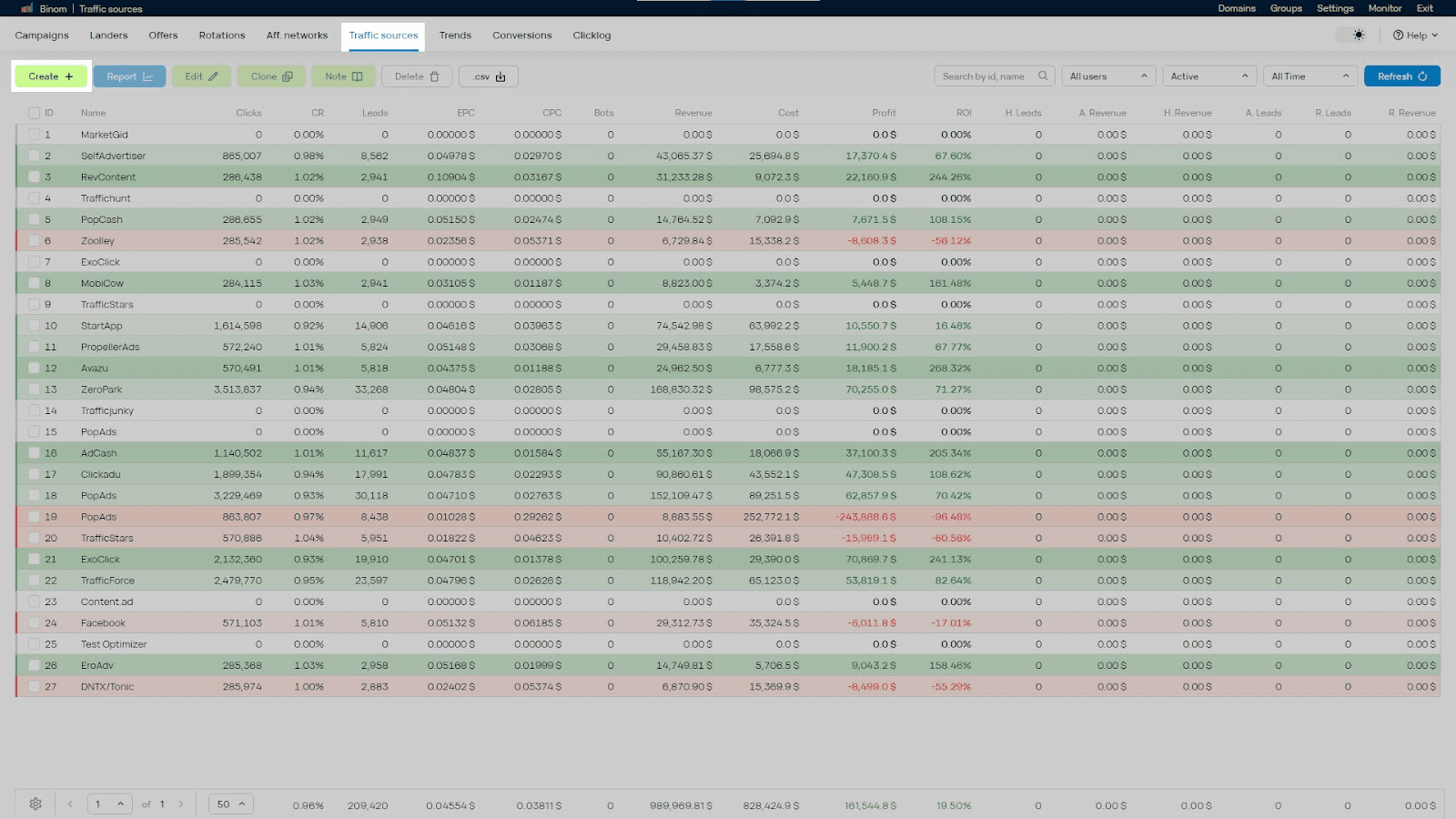
Go to Traffic Sources.
-
Click Create.
-
Select Load from template.
-
Choose EVADAV from the list.
Binom will automatically apply the required tracking parameters and tokens.
Now paste the Postback URL from Step 1 into the Postback URL field.
Important:
-
Replace all default placeholders like “REPLACE”
-
Insert your real aid and tid
-
Double-check every token before saving
Wrong IDs can break your postback tracking completely.
Once everything is configured, click Save.
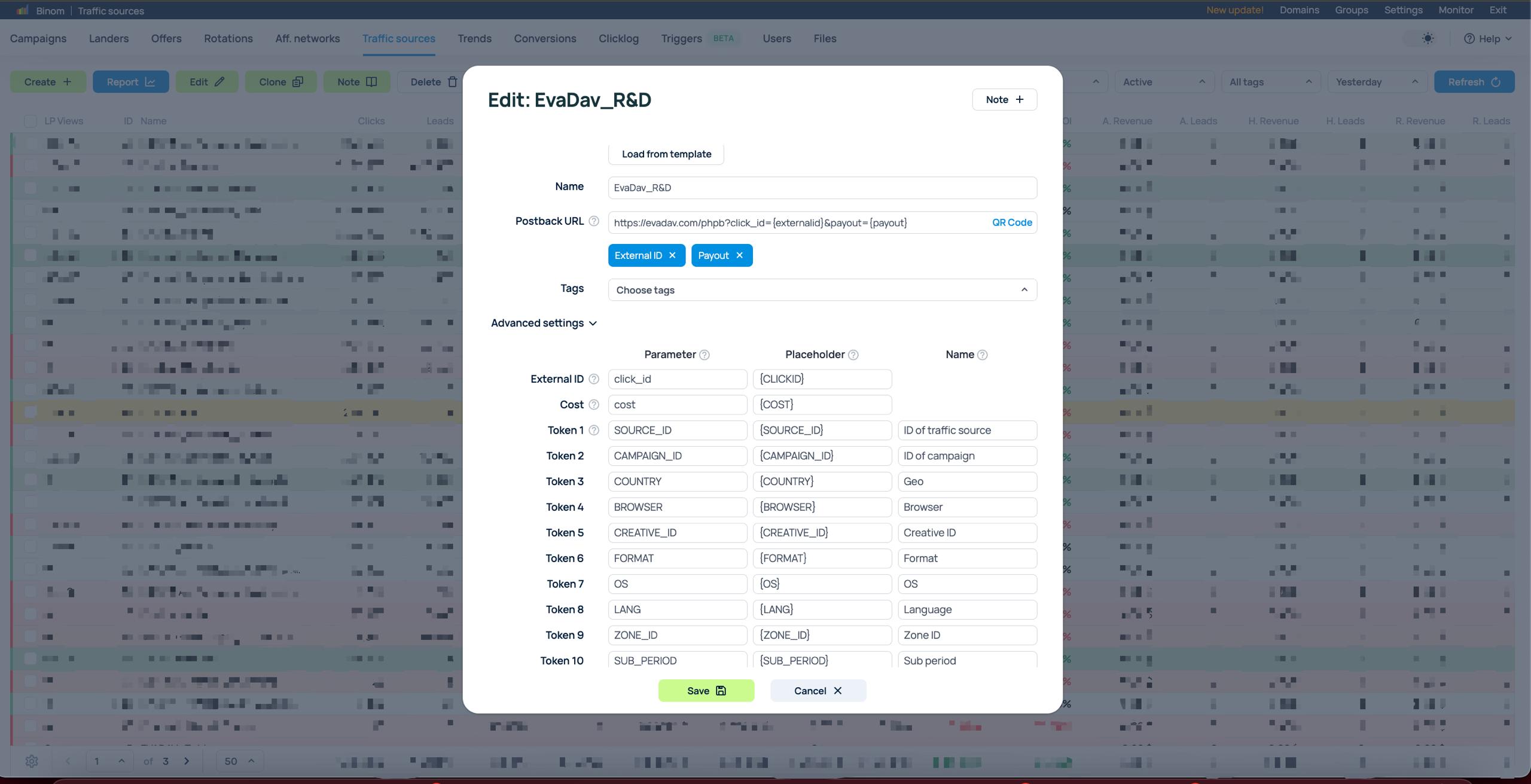
Binom supports up to 30 custom tokens for deeper traffic analysis. You can manually add extra parameters to your EVADAV tracking URL, including:
-
{BROWSER} – User's browser
-
{BROWSER_VERSION} – Version of the user's browser
-
{COUNTRY} – Name of the target country
-
{CITY} – The city from which the user came
-
{FORMAT} – Ad format
-
{SUB_PERIOD} – User subscription period (days)
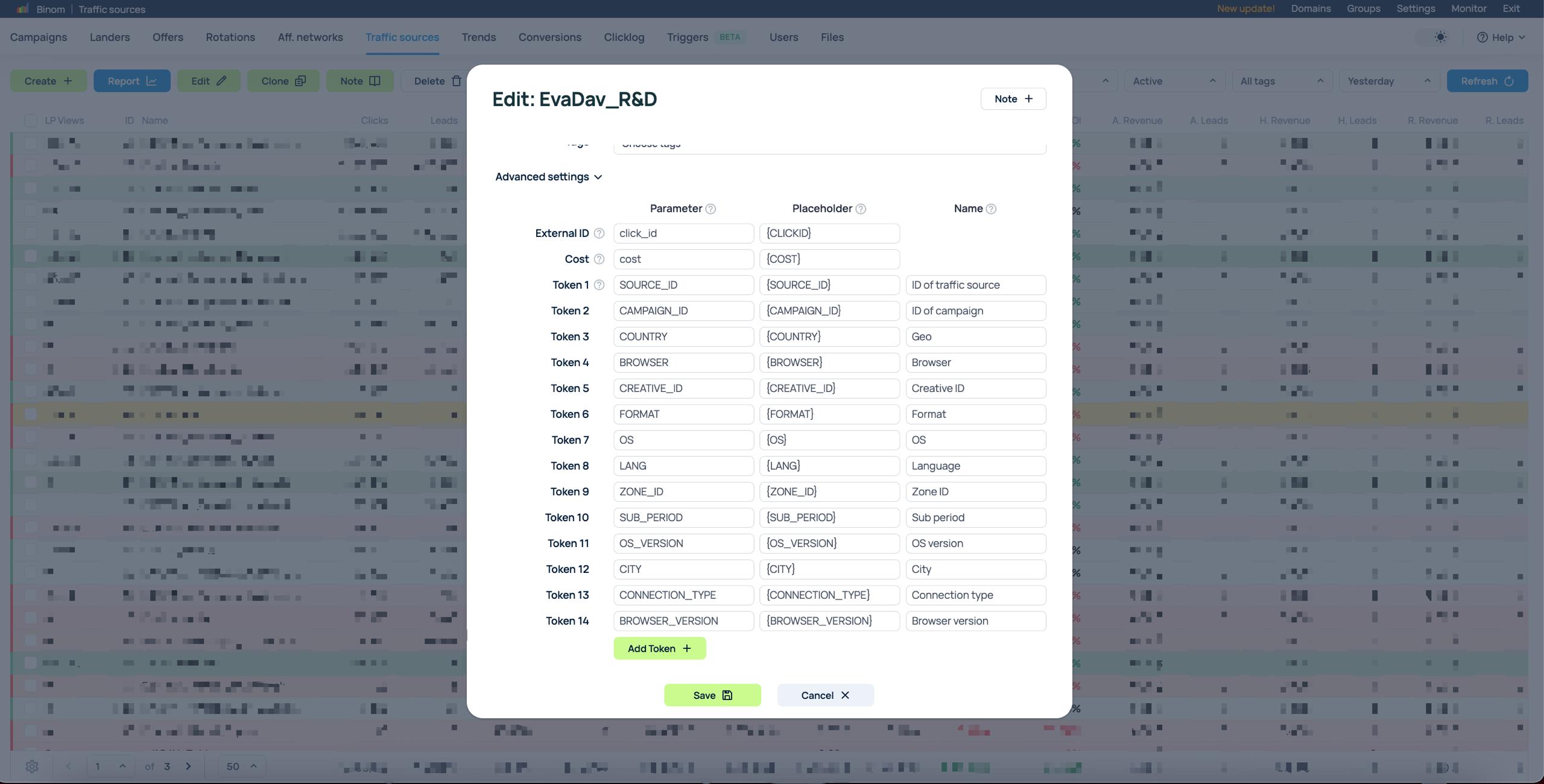
These tokens are useful for campaign optimization, filtering, and advanced reporting.
Step 3: Configure Postback Tracking in Your Affiliate Network
Now it’s time to connect EVADAV to Binom. This allows the tracker to receive conversion events from your CPA network.
Inside Binom:
-
Add your affiliate network.
-
Create an offer.
-
Generate a local postback URL with the {clickid} token.
After that:
-
Copy the generated Binom postback.
-
Paste it into your affiliate network dashboard.
Once connected, conversion data will automatically pass into Binom.
Before launching traffic, make sure you also create:
-
your landing pages
-
offers
-
destination paths
If you run into token or macro issues, contact your EVADAV manager.
Step 4: Create a Campaign in Binom
Now it’s time to assemble the full funnel inside Binom.
-
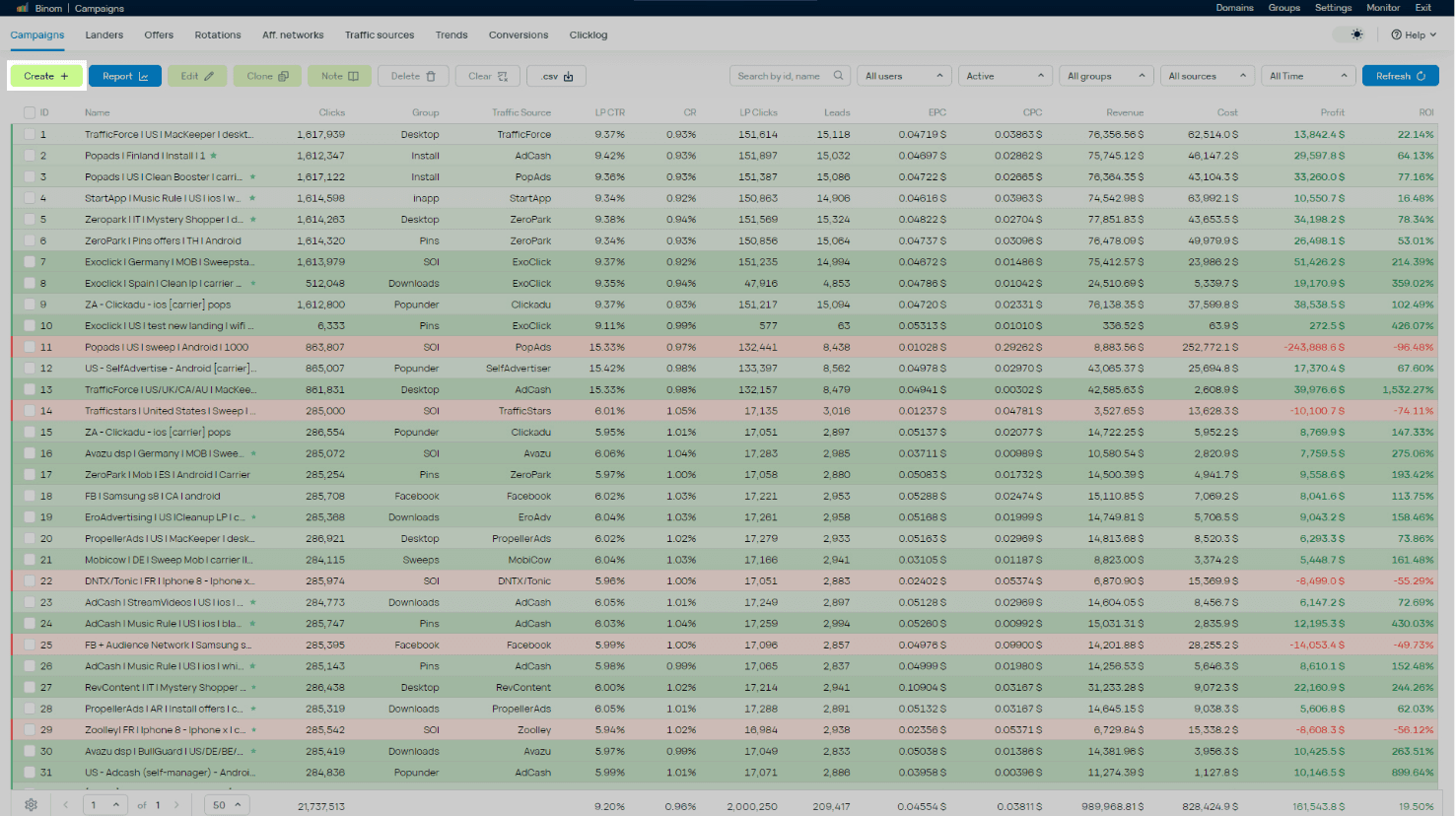
Open the Campaigns tab and click Create.
-
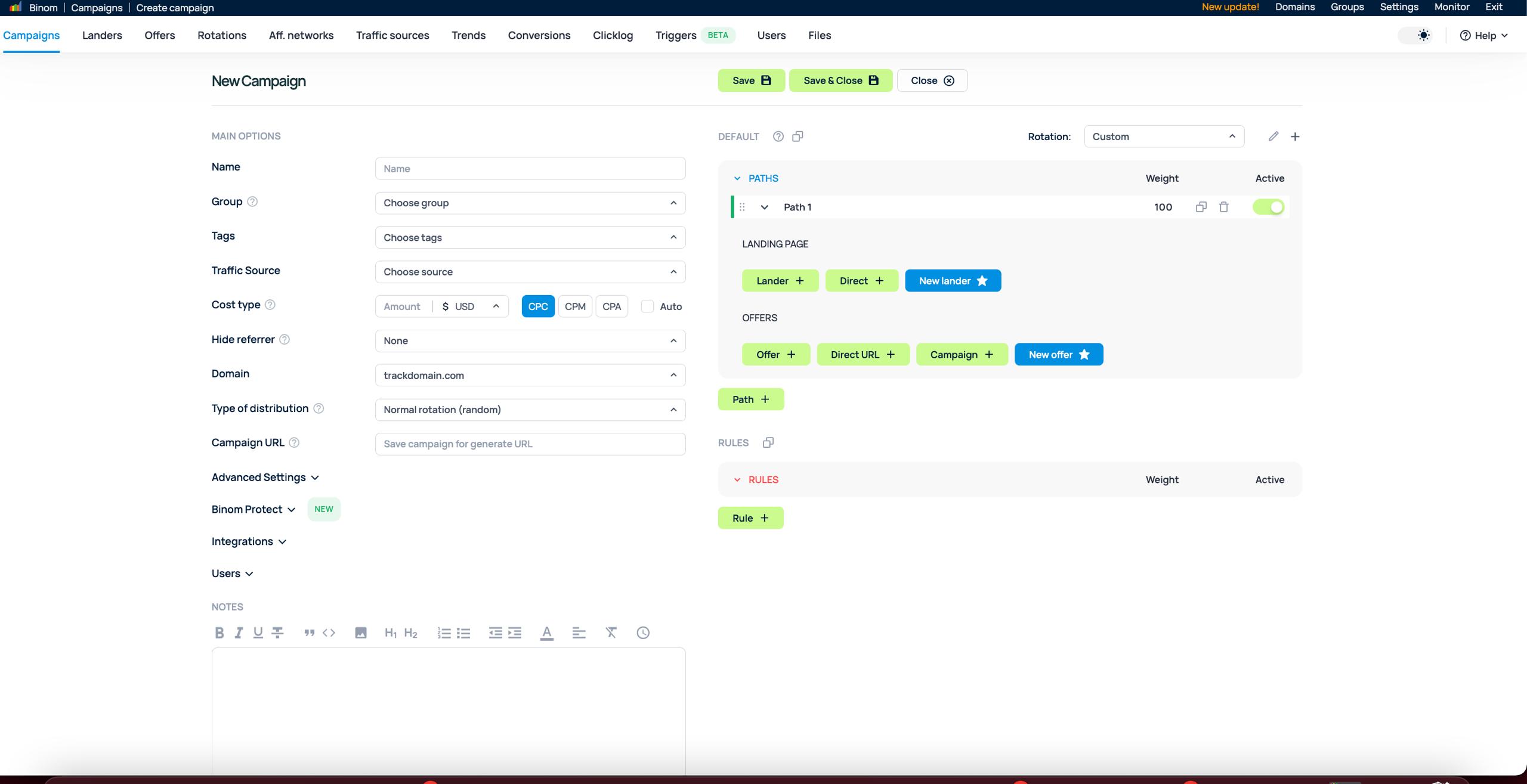
Enter a clear name for your campaign.
-
Select EVADAV as your Traffic source from the dropdown menu.
-
Fill out the destination paths (your landers and offers).
-
Click Save to generate your unique Campaign URL.
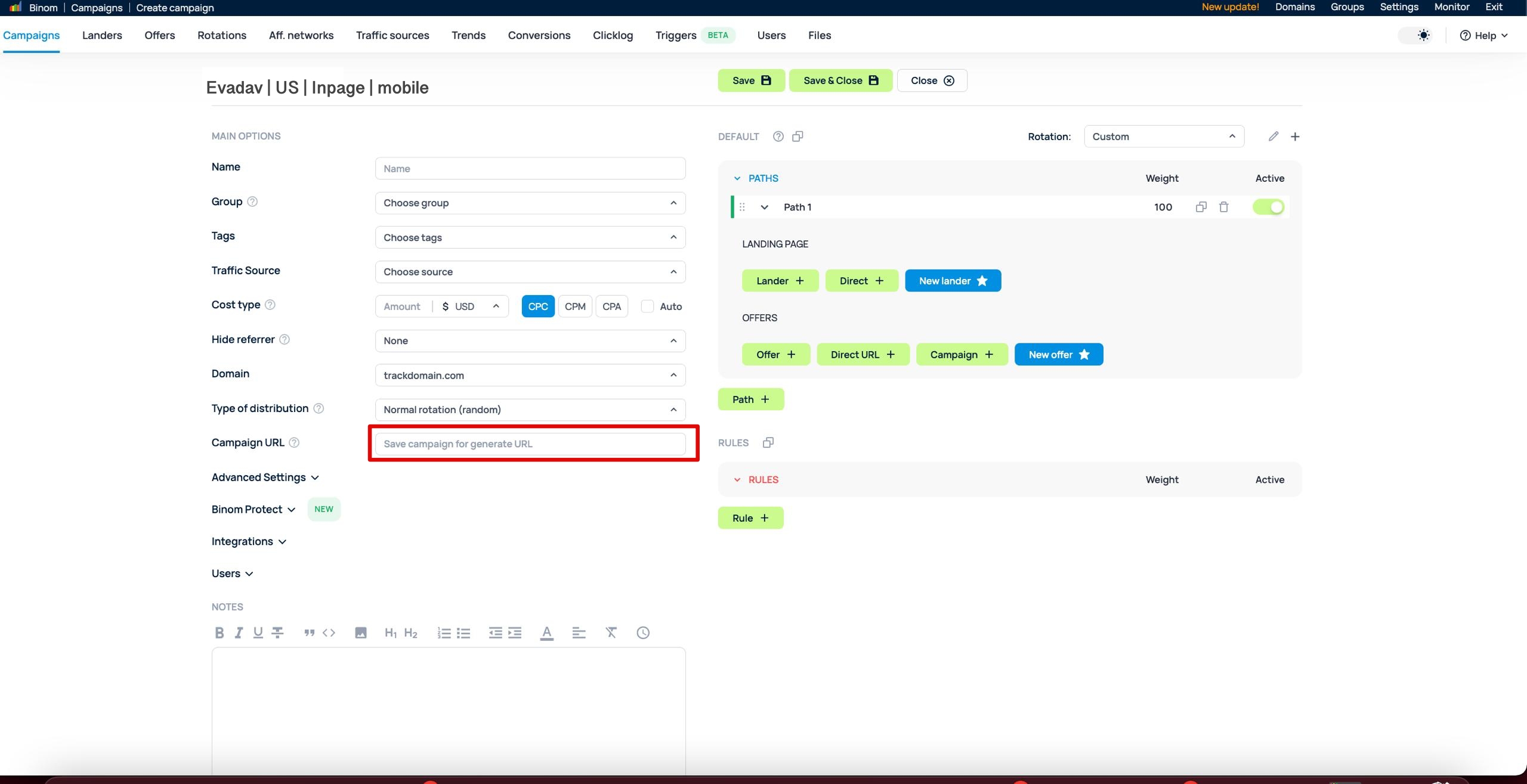
You can verify the setup directly via the tracking tools in your EVADAV dashboard. Paste your Binom Campaign URL into the “Check URL” tool, click through the test banner, and trigger a mock conversion. Then, verify that the test conversion appears correctly in both Binom and EVADAV stats.
Step 5: Launch Your Campaign in EVADAV
The final step is to put your tracking link into action inside the ad network.
-
Log in to your EVADAV advertiser account and click Create Campaign.
-
Set up your targeting options, budgets, and creatives.
-
Paste the Campaign URL copied from Binom into the Target URL field. Make sure all dynamic tokens remain intact.
-
Save the campaign and wait for moderation.
Binom allows tracking both CPC and CPM – don’t forget to select the correct model when setting your ad campaigns.
Getting the Most Out of EVADAV and Binom
Proper tracking is one of the foundations of profitable affiliate marketing. Without accurate data, it becomes much harder to optimize campaigns, identify winning traffic sources, or scale funnels confidently.
A proper EVADAV tracker integration gives advertisers deeper visibility into campaign performance and conversion tracking. From traffic analysis and ROI monitoring to split-testing and optimization, the setup gives media buyers everything needed to work with data more efficiently.
Once your S2S postback tracking is configured correctly, you can launch campaigns with a much clearer understanding of where conversions come from and how your traffic performs across different GEOs, devices, placements, and creatives.
For affiliates working with scaling, automation, and performance-driven traffic, combining EVADAV with Binom creates a flexible setup that works well both for beginners and experienced media buyers.
Start with EVADAV + Binom today – launch tracked ad campaigns and unlock an exclusive deal: your 1st month of Binom for FREE and 2nd month at 40% off! Claim your offer now 🎁
If you need help with setup, optimization, or campaign launch, contact your dedicated manager for additional guidance and support.